Waiter ordering system for restaurants
Waiter Ordering, Connected Directly to the Kitchen
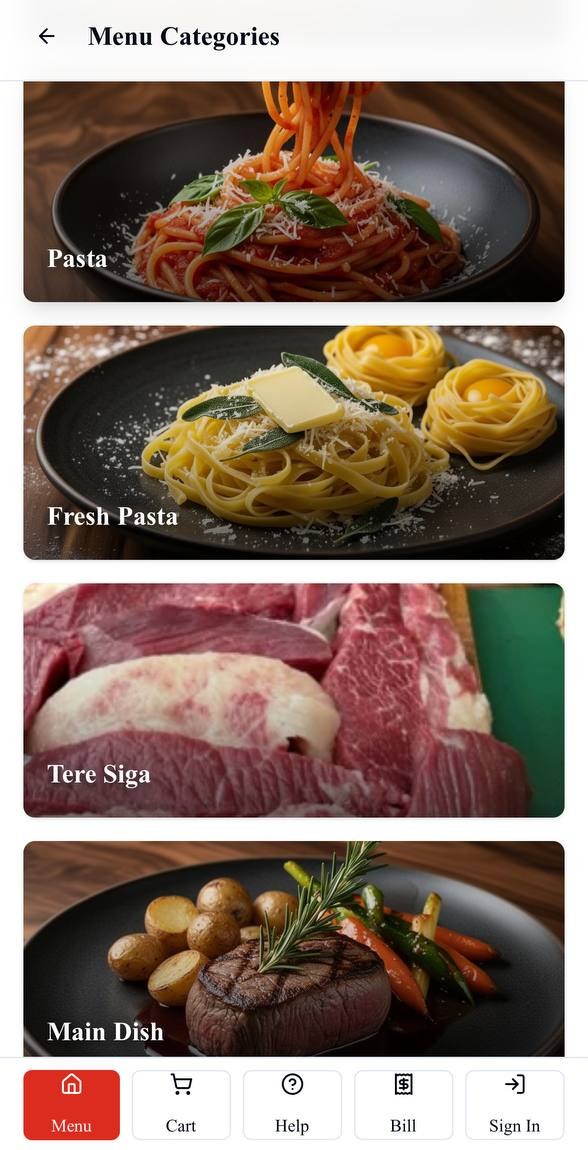
Your waiter takes the order from a phone or tablet, selects the table and items, and sends the order into Bilu. The kitchen receives it through the same system used for customer QR orders.
Replace the handoff, not the waiter
Give the waiter a direct path into restaurant operations.
Bilu strengthens waiter service with a digital route from the customer's table into the kitchen and cashier workflow.
A separate handoff can look like
Customer → waiter → separate note or memory → kitchen / cashier
Restaurants use different service practices. Where an order has to be handed off and entered again, details can pass through an extra step.
With Bilu waiter ordering
Customer → waiter device → Bilu → kitchen / cashier
The waiter records the table order in the same system the restaurant uses to fulfil and bill it.
How waiter ordering works
From the waiter’s device to the restaurant workflow.
The operational sequence is direct, table-aware and based on the menu the restaurant has configured in Bilu.
01
Table
Select the table
The waiter begins with the restaurant table so the new order is connected to the correct service context.
02
Menu
Choose available items
Staff browse the restaurant's menu and add the items requested by the customer.
03
Options
Add supported choices
Where an item has configured modifiers, the waiter records the supported selections with the item.
04
Submit
Place the order
The waiter reviews the table order and submits it through Bilu's staff-ordering flow.
05
Kitchen
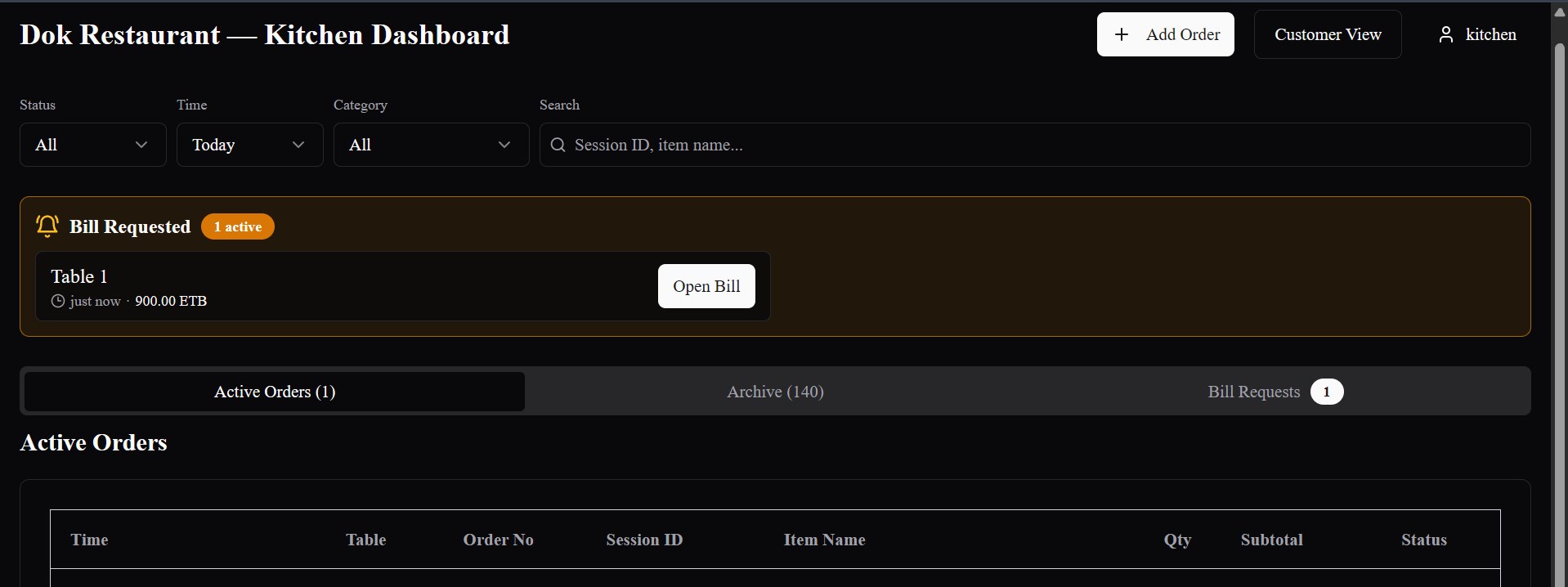
Reach the kitchen workflow
The order enters the kitchen operation, including configured station routing for assigned menu items.
06
Cashier / admin
Remain visible to staff
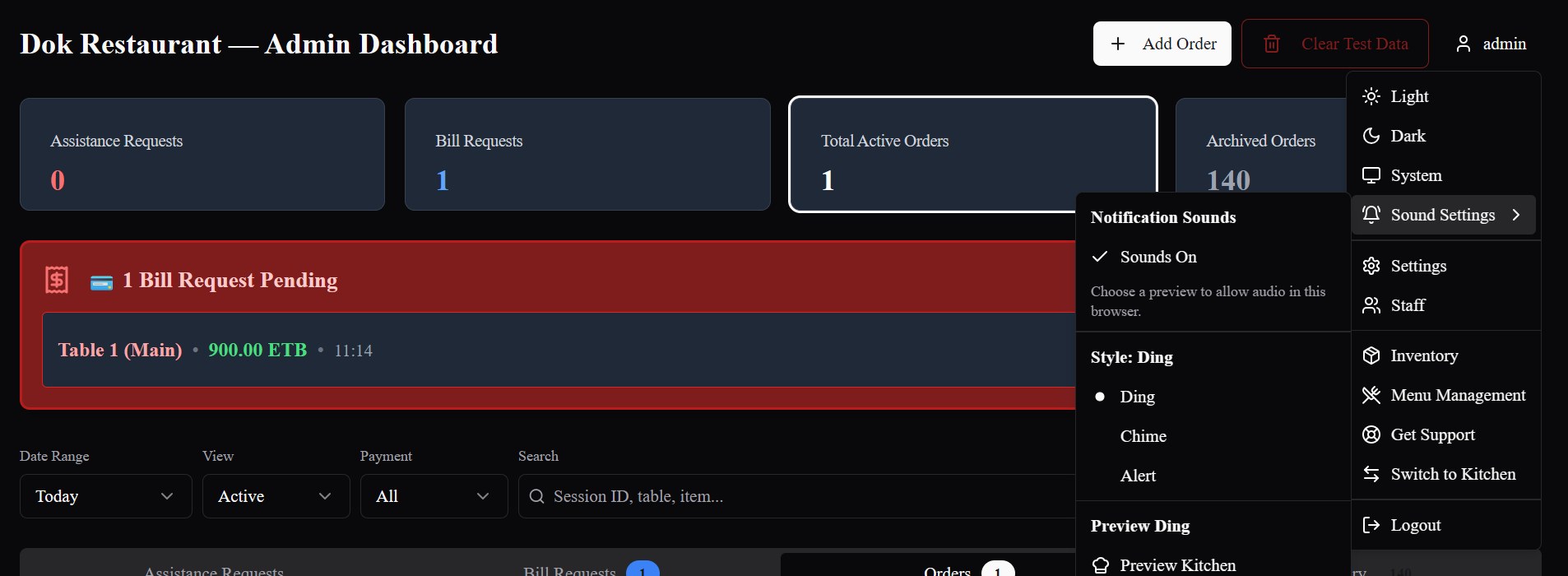
The waiter-created order stays connected to active table, billing and authorized settlement visibility.
Phone or tablet
Use the responsive waiter ordering screen on a practical staff device.
Bilu's waiter ordering interface runs in the browser and adapts across phone and tablet layouts, allowing restaurants to use suitable devices they provide.
Device, browser and network readiness should still be checked as part of each restaurant's setup.
One operation
The same system as customer QR orders.
Bilu supports QR ordering and waiter service together. The order source changes; the menu, kitchen workflow, table visibility and billing path remain connected.
Explore customer QR OrderingConfigured kitchen routing
Direct items to the kitchen workflow that prepares them.
When a restaurant uses different production areas, configured menu-item assignments can direct work to the appropriate Bilu kitchen station. The capability follows each restaurant's setup rather than assuming one universal station layout.
- Station behavior is configured per restaurant
- Assigned menu items follow their configured stations
- Unassigned items retain the configured default kitchen path
Cashier and admin visibility
Keep waiter-created orders in the operational picture.
Once the waiter submits the order, authorized staff can follow it as part of the restaurant's active table, bill-request and settlement workflow.
- Table and active-order context
- Cashier and admin operational visibility
- Billing and recorded settlement continuity
Why waiter ordering matters
Support personal service with a clearer digital handoff.
Remove a separate re-entry step
The waiter records the table order directly in Bilu rather than handing off a separate order for another staff member to enter.
Keep table context clear
The order begins with a selected table and remains part of that table's active operational flow.
Connect front and back of house
Submitted waiter orders carry item details into the same kitchen workflow used by customer QR orders.
Let service styles coexist
Restaurants can keep waiter-led service while also offering customer QR ordering where it fits.
Questions
What restaurants ask us.
Do customers have to use QR codes with Bilu?
No. Waiters can take orders directly through Bilu, and a restaurant can use waiter ordering with or without inviting customers to order by QR.
Can waiters take orders on a phone?
Yes. The browser-based staff ordering interface is responsive and can be used from a suitably sized phone screen.
Can waiters use tablets?
Yes. The waiter ordering interface is designed to work responsively on tablets as well as phones.
Do waiter orders go directly to the kitchen workflow?
Yes. Once submitted, waiter-created orders enter Bilu's order and kitchen workflow with their table, items, quantities and configured choices.
Can a restaurant use waiter ordering and QR ordering together?
Yes. The order source changes, but both methods feed the same restaurant menu, kitchen operation, table visibility and billing workflow.
Can different kitchen stations receive different items?
Yes, when the restaurant has configured kitchen stations and assigned menu items to them. Items without an explicit assignment follow the configured default kitchen behavior.
See the workflow
See waiter ordering in the full Bilu workflow.
We’ll show you how staff select a table, build an order, send it to the kitchen and keep it connected through billing — alongside customer QR ordering.