QR ordering for restaurants in Ethiopia
QR Ordering That Connects to Your Restaurant
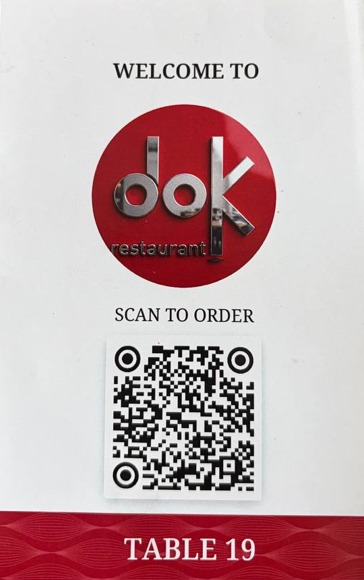
A customer scans the code at the table, browses the menu and places an order from their phone. The order does not stop at a digital menu — it enters the same Bilu workflow used by the kitchen, cashier and restaurant staff.
QR menu vs QR ordering
Viewing a menu is the beginning. Ordering connects the operation.
QR menu
Menu information on a phone
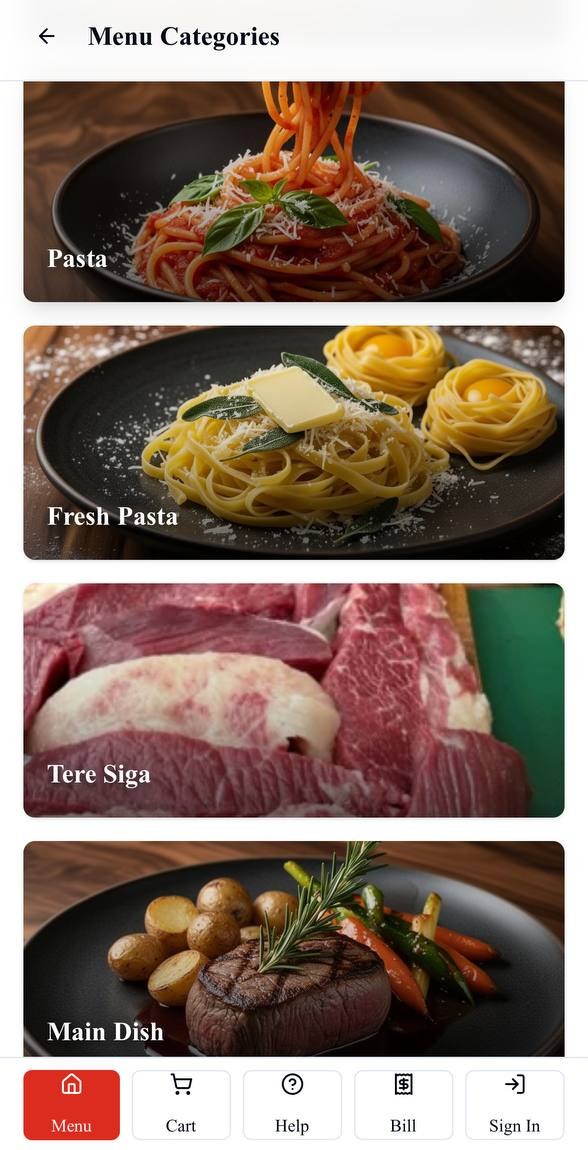
A QR menu primarily helps a customer open and browse the restaurant's menu, including its categories, items and details.
Bilu QR ordering
A table order in the restaurant workflow
The customer identifies the table through its QR entry, chooses available items and options, and submits an order that continues into kitchen handling, staff visibility and the table bill.
How Bilu QR ordering works
From a table scan to the restaurant team.
One connected sequence keeps the customer, kitchen and front-of-house working from the same order.
01
At the table
Scan the table QR
The table's QR code opens that restaurant's Bilu ordering experience in the customer's phone browser.
02
Menu
Browse available items
Customers can explore categories, item details and the choices the restaurant has configured.
03
Order
Choose and submit
The customer selects items and supported options, then submits an actual order for the table.
04
Kitchen
Receive the order
The submitted order enters Bilu's kitchen workflow with its table, items, quantities and selected options.
05
Cashier / admin
Follow table activity
Authorized staff can see the order as part of the restaurant's active operational flow.
06
Bill
Continue to settlement
The order remains connected to the table bill so authorized staff can review payment and complete settlement.
Customer choice
QR or waiter. The same restaurant system.
Some customers want to order from their phones. Others prefer to speak to a waiter. Bilu supports both entry points while keeping the kitchen, cashier and table bill connected to the order.
See how Waiter Ordering worksKitchen-connected ordering
Send the submitted order into the kitchen workflow.
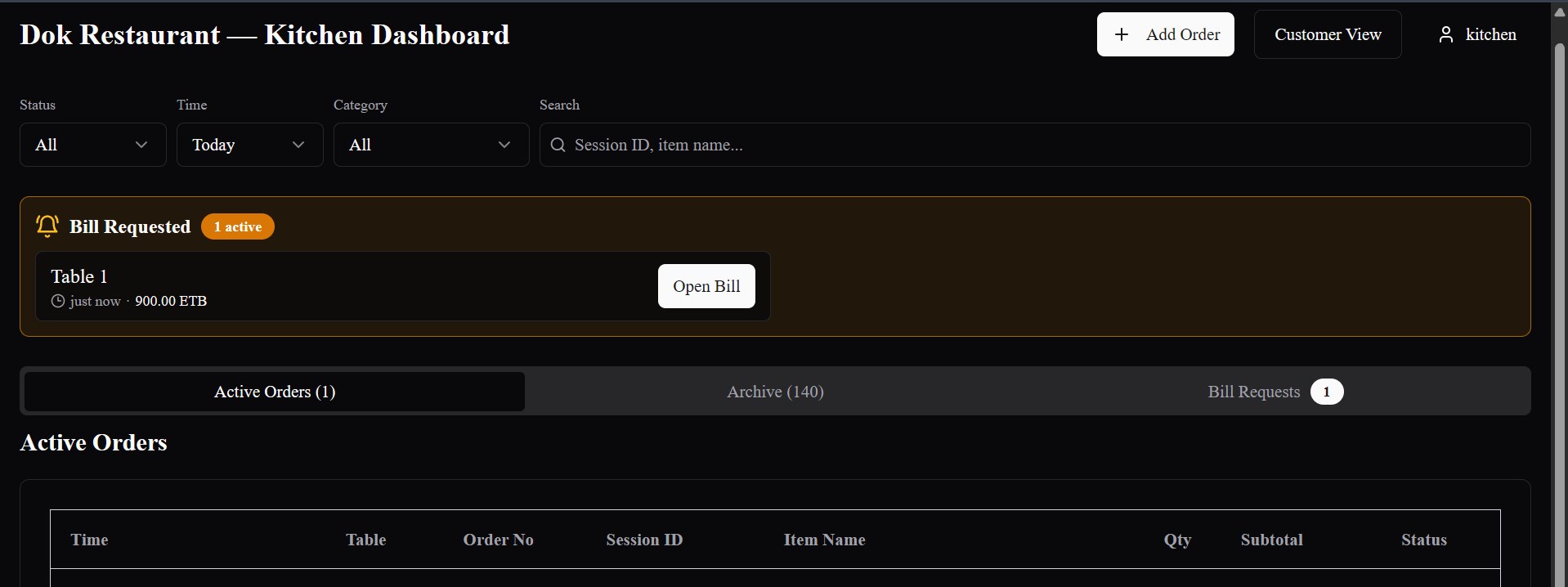
Kitchen staff receive the table, items, quantities and supported selections they need to prepare the order. When a restaurant has configured production stations, assigned menu items follow that station setup.
- Customer and waiter orders enter the operational order flow
- Configured item choices travel with the order
- Kitchen stations follow the restaurant's configured routing
Cashier and billing continuity
Keep the order connected through the table bill.
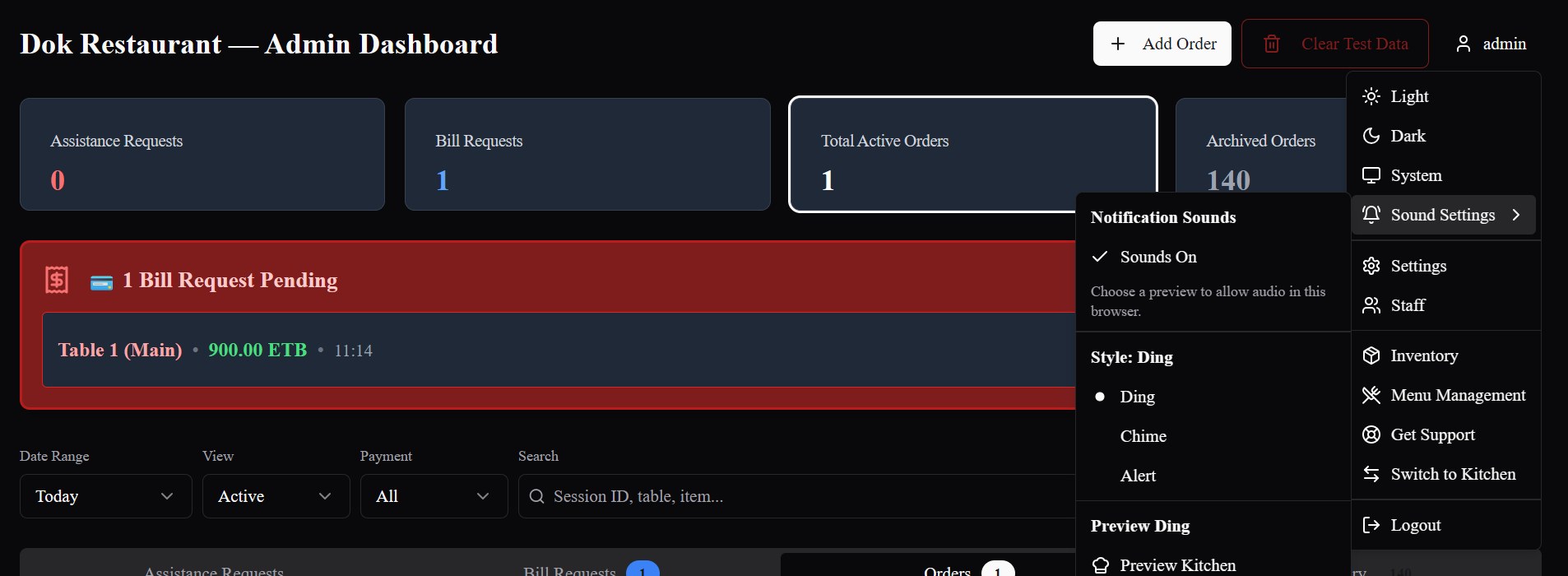
QR orders remain part of the active restaurant operation. Authorized cashier or admin staff can follow table activity, review the bill and complete Bilu's recorded settlement workflow.
- Active order and table visibility
- Bill-request handling for authorized staff
- Payment recording and settlement inside Bilu
Why it matters operationally
Digital ordering without separating the people who fulfil it.
Less order re-entry
A submitted customer order already carries its table, items and supported selections into Bilu instead of beginning as a separate message for staff to re-enter.
Clearer table and order visibility
The order stays associated with the table and remains visible across the operational workflow.
Customer choice without a split system
Customers can order from their phones when they choose, while waiter-entered orders continue through the same Bilu operation.
Kitchen and cashier continuity
The ordering path continues beyond the menu into kitchen handling, table billing and authorized settlement.
Built in Ethiopia
Restaurant operations, grounded in the local service model.
Bilu is being built for restaurant operations in Ethiopia, where customer preferences and restaurant service styles vary. QR ordering can work alongside waiter service rather than replacing it.
Questions
What restaurants ask us.
Is Bilu just a QR menu?
No. A QR menu helps a customer view menu information. Bilu also lets the customer submit an order for the table and carries that order into the restaurant's kitchen, cashier and billing workflow.
Do customers have to order by QR?
No. A restaurant can also let waiters take orders through Bilu. Customer QR orders and waiter-entered orders use the same restaurant operation.
Can customers still order from a waiter?
Yes. Bilu supports traditional waiter service with a direct digital ordering path for staff, so the restaurant does not have to choose only one ordering method.
Does a QR order go to the kitchen?
A submitted QR order enters Bilu's kitchen workflow. Where kitchen stations are configured, menu items can be directed to their configured station workflow.
Can each table have its own QR code?
Yes. Bilu's customer ordering flow uses a table-specific QR entry so the order can remain connected to the correct table.
Do customers need to install an app?
No app installation is required. The customer opens the restaurant's Bilu experience in their phone browser from the table QR code.
Can the restaurant update its menu?
Yes. Authorized restaurant staff can manage menu content and availability used by the ordering experience.
See the workflow
See the complete QR ordering journey.
We’ll show you how a table QR opens the menu, how an order reaches the restaurant team, and how QR and waiter ordering work together in Bilu.