Restaurant operations software for Ethiopia
Run Restaurant Operations from One Connected System
Bilu connects how orders enter the restaurant, move through the kitchen, reach the cashier, and continue through billing and management—without splitting the workflow across disconnected tools.
Customer QR
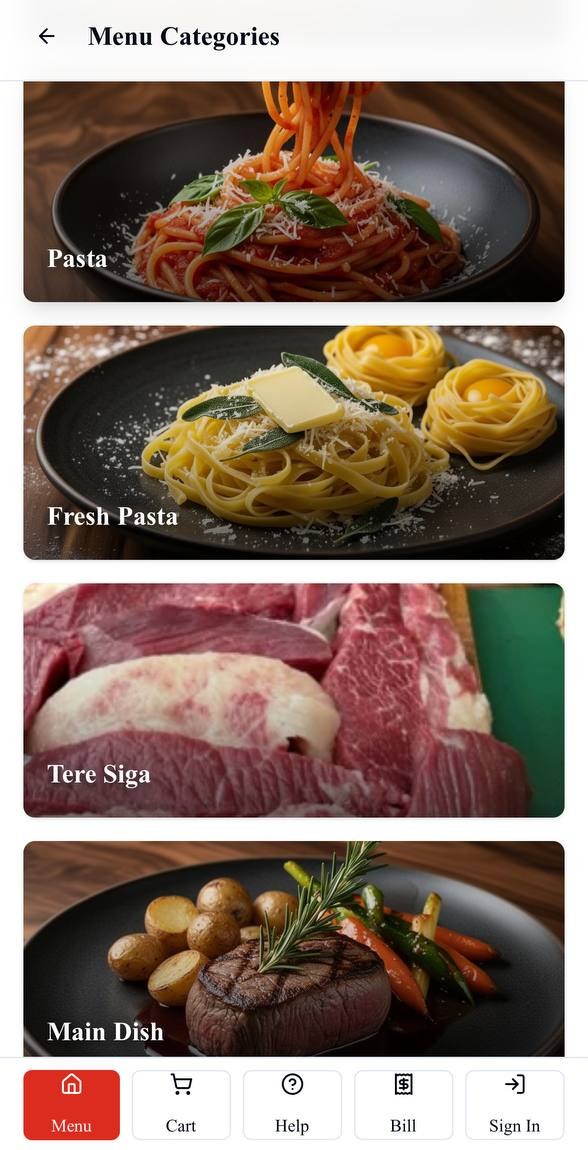
Waiter order
More than taking orders
The order screen solves only one part of restaurant operations.
The restaurant still needs to prepare the order, keep cashier and admin views current, handle billing, coordinate staff responsibility and understand what happened. Bilu connects those stages in one restaurant operations system.
One connected restaurant workflow
Follow the operation from table entry to management reporting.
Bilu's Restaurant Ordering & Operations System keeps the operational sequence connected while each role works in the view relevant to its responsibility. Supporting inventory tools give management visibility into items, batches, movements and stock counts.
01
Order entry
Customer QR or waiter
A customer orders from the table QR, or a waiter enters the table order from a suitable phone or tablet.
02
Restaurant ordering
One structured order
Table, menu item, quantity and configured option details enter the same Bilu restaurant workflow.
03
Kitchen
Configured preparation work
Submitted items follow the restaurant's kitchen-station assignments and protected Main Kitchen fallback.
04
Cashier / admin
Operational visibility continues
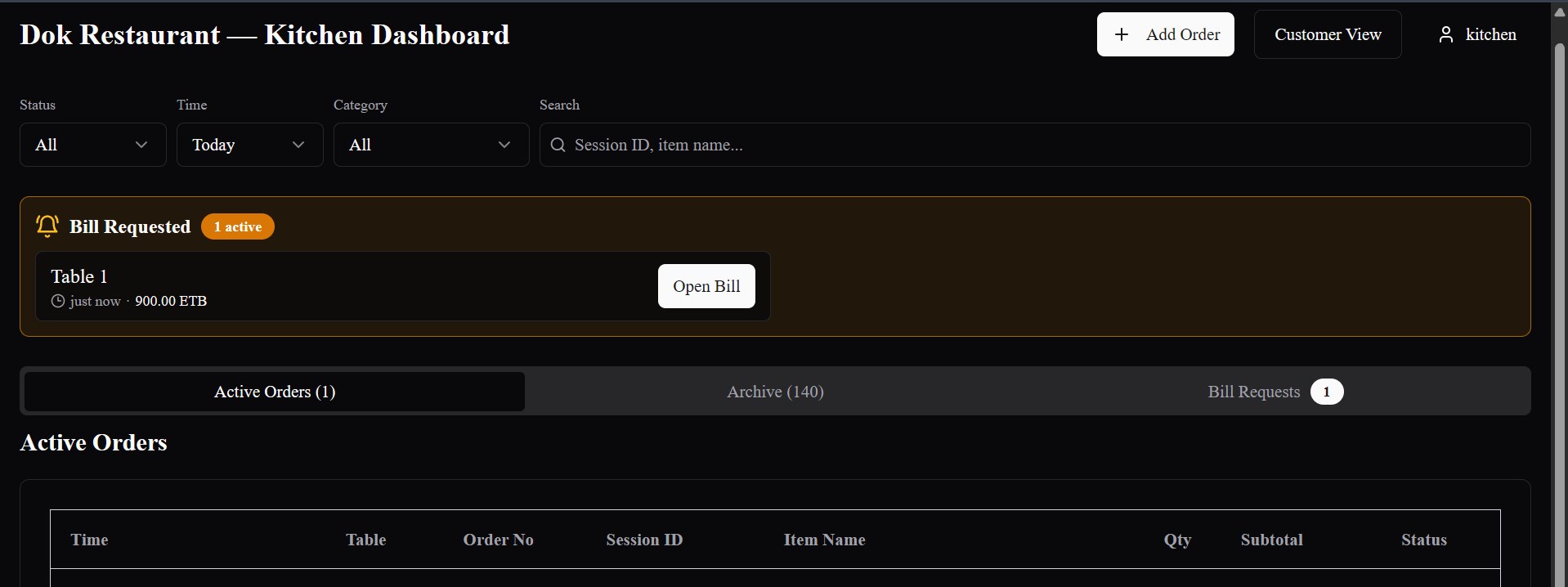
Authorized staff can follow active orders, restaurant sessions, table activity and bill requests relevant to their role.
05
Bill / settlement
Complete the table flow
Authorized staff can review the bill, record supported payment details and complete the table's settlement.
06
Management
Review restaurant activity
Restaurant analytics provide selected-period reporting across orders, items and other operational measures, with Excel export.
Ordering begins the workflow
Two ways to order. One operation behind them.
Customer QR ordering
The customer submits from the table.
The table QR opens the restaurant menu with its table context, items and configured choices.
Explore QR OrderingWaiter ordering
The waiter submits from the table.
The waiter selects the table and enters its order from a suitable phone or tablet.
Explore Waiter OrderingKitchen execution stays connected
Move submitted items into configured preparation work.
Bilu applies the restaurant's kitchen-station routing when an order is submitted. Assigned kitchen users can work from relevant station views and move preparation work from new to preparing and ready.
- Configured station assignments and Main Kitchen fallback
- Assigned station views for appropriate kitchen users
- Order, table, item, option and instruction context retained for preparation
Cashier, admin, billing and settlement
Keep the operation moving after kitchen preparation.
Authorized cashier and admin views can follow active orders, restaurant sessions, table activity and bill requests. The same table workflow continues into bill review, supported payment recording and recorded settlement.
- Relevant order, session and table visibility
- Bill requests stay attached to the table workflow
- Authorized payment recording and settlement completion
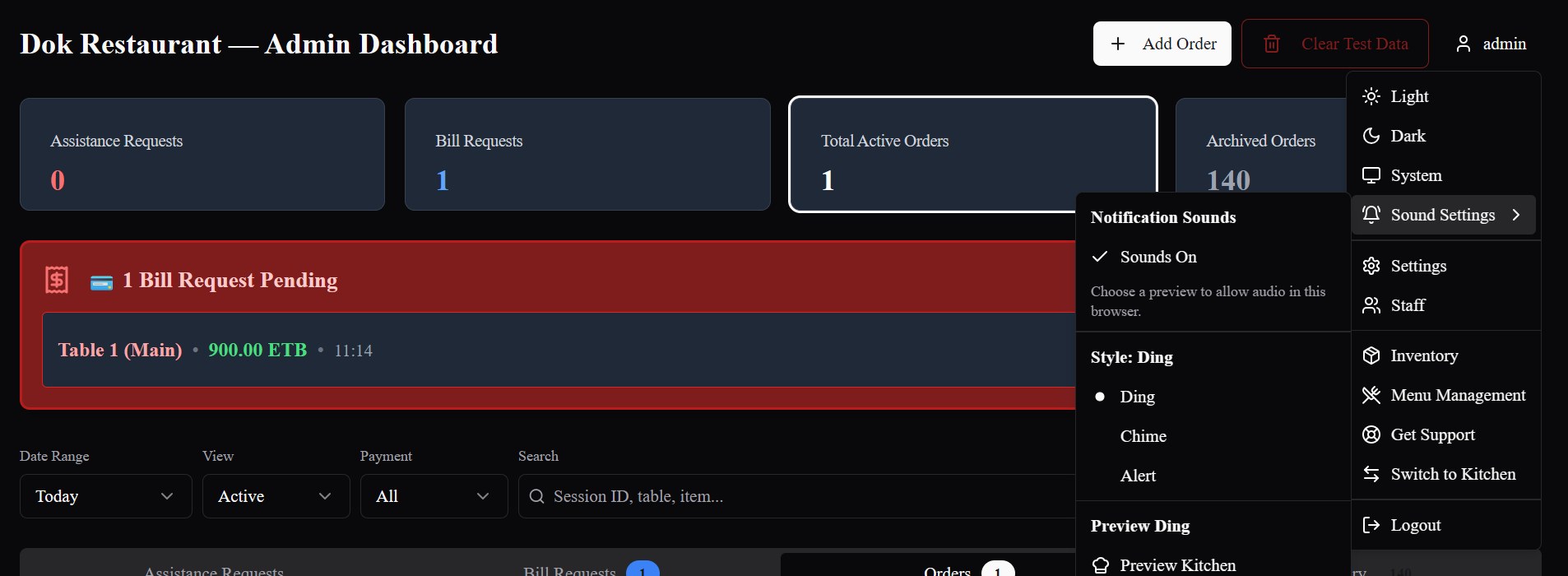
Staff roles and operational separation
Each role works with the part of the restaurant workflow relevant to the job.
Restaurant admin
Manage restaurant configuration and review the operational and reporting views available to the role.
Cashier
Follow relevant order, bill-request and settlement work from the cashier-facing operation.
Kitchen
Work from the appropriate kitchen or assigned-station view and move preparation status forward.
Waiter
Open a table, submit orders and continue the supported table-service workflow.
Inventory visibility
Track stock through items, batches and movements.
Bilu's current inventory tools support inventory items, received batches, stock-on-hand views, movement history, manual stock issuing, stock counts and FIFO-based stock issuing or shortage adjustments.
Review the current stock picture through the inventory records and management actions available in Bilu.
Explore Restaurant InventoryAnalytics and management reporting
Review orders, items and operational activity by period.
Authorized restaurant-admin and super-admin analytics views cover selected reporting periods, order and item performance, operating measures such as tables and order sources, and Excel export with Orders and Items worksheets.
Turn supported restaurant activity into a clearer management view of the selected reporting period.
Explore Restaurant AnalyticsOperational accountability
Keep important system activity recorded.
Bilu records important administrative and operational actions in its Activity Log so authorized platform-level reviewers can preserve a clearer history of relevant system changes.
The Activity Log supports operational accountability through authorized platform-level review.
One system instead of disconnected handoffs
Keep the restaurant workflow connected across operating roles.
Less duplicate order entry
Customer and waiter orders enter Bilu directly and remain available to the relevant kitchen and cashier workflows.
Clearer operational continuity
The restaurant, table and order context can remain connected as work moves from entry through preparation and billing.
Digital handoff between roles
Waiter, kitchen, cashier and restaurant-admin workflows each focus on the part of the operation relevant to that role.
A wider management picture
Operational reporting and supporting inventory tools give authorized management views beyond the order-entry screen.
Built around different restaurant setups
Configure the operation around how the restaurant works.
Restaurants differ in table count, menu complexity, preparation areas, kitchen stations, staff structure and inventory setup. Bilu's restaurant, menu, role, station-routing and inventory configuration can reflect those operational differences.
Onboarding and configuration can be aligned with the restaurant's actual workflow and operating setup.
Related operational capabilities
Explore each part of the connected Bilu workflow.
Restaurant operations in Ethiopia
Built around the way restaurant service moves.
Bilu is being built around real restaurant operating workflows in Ethiopia, including table service, waiter ordering, customer QR ordering, kitchen coordination, billing and restaurant management.
Questions
What restaurants ask us.
What is restaurant operations software?
Restaurant operations software connects the work that follows an order: preparation, cashier visibility, billing, settlement and management reporting. Bilu also includes supporting inventory tools while keeping order entry connected to the wider restaurant workflow.
What parts of restaurant operations does Bilu connect?
Bilu connects customer QR and waiter ordering with configured kitchen work, authorized cashier/admin views, bill requests, billing, recorded settlement and restaurant reporting.
Can customers and waiters both place orders?
Yes. Customers can order from a table QR, while waiters can enter orders from a suitable phone or tablet. Both methods use the restaurant's configured menu and enter the same Bilu operation.
Does Bilu send orders to the kitchen?
Yes. Submitted orders create connected kitchen work using the restaurant's configured station assignments and default kitchen route.
Can Bilu support different kitchen stations?
Yes. Restaurants can configure active kitchen stations, associate menu items with one or more stations and assign kitchen users to appropriate station views.
Can cashiers see restaurant orders and billing information?
Authorized cashier and admin views can follow active restaurant orders, table or session activity, bill requests and the billing information needed to complete settlement.
Does Bilu support billing and settlement?
Yes. Bilu supports bill requests, bill review, authorized payment recording and settlement completion within the connected table workflow.
Does Bilu include inventory tools?
Yes. Current inventory tools cover inventory items, received batches, stock on hand, movement history, manual stock issuing and stock counts, including FIFO-based stock issuing.
Does Bilu include restaurant analytics?
Yes. Authorized restaurant-admin and super-admin views can report on orders, item performance and other restaurant activity for selected date ranges, with an Excel export of order and item details.
Can different staff roles use different parts of the system?
Yes. Restaurant admin, cashier, kitchen and waiter roles use operational views aligned to their responsibilities. Exact access depends on the configured role and restaurant workflow.
See the workflow
See the restaurant operation as one connected workflow.
We’ll show you how Bilu connects ordering, kitchen, cashier, billing, settlement and management views around the restaurant's actual setup.