Hotel room-service ordering in Ethiopia
Hotel QR Ordering & Room-Service Operations
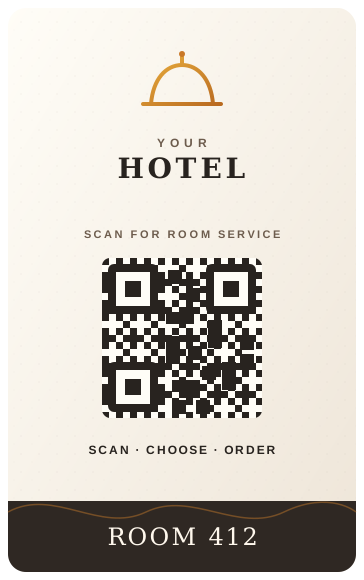
Guests scan the QR code in their Room, browse the hotel room-service menu and order from their phone—no app download. Bilu keeps Room 412 connected to Kitchen, staff, Admin/Cashier and settlement.
How Hotel ordering works
One connected route from Room QR to Hotel operations.
Bilu keeps the Room attached as a guest order moves through preparation and authorized operational views.
01
Room QR
The guest begins from their Room.
A guest scans the QR assigned to Room 412 and opens that hotel's room-service experience in their browser.
02
Room-Service Menu
Available items are ready to browse.
The guest browses the room-service menu, chooses available items and places an order without downloading an app.
03
Kitchen
The order reaches preparation with its Room.
Kitchen staff receive the submitted order with the Room context and the item details needed for preparation.
04
Hotel Operations
Staff keep the Room in view.
Authorized Admin and Cashier views can follow the Room order, guest requests, history and recorded settlement.
Room-specific by design
Built for Rooms, not Tables.
Restaurant service starts from a Table. Hotel room service starts from a Room. Bilu keeps that distinction visible from the first scan through the operational workflow.
Restaurant Mode
Table 19
Table-based guest ordering and restaurant operations.
Hotel Mode
Room 412
Room-specific guest ordering and Hotel operations.
/room/412/menu
Connected Hotel operations
The QR code is only the starting point.
The guest interaction remains useful because the Room context continues into the work Hotel staff need to complete.
- Room
- Kitchen
- Admin/Cashier
- Settlement
- History/Reporting
Guest requests
Assistance and bill requests arrive with the Room.
Request assistance
The guest can ask for assistance, and authorized staff see that the request came from Room 412.
Request the bill
The guest can request their bill while staff retain the originating Room context for follow-up.
Hotel operations after the scan
Keep the guest request connected to the team handling it.
Room context stays attached
The same Room identifier follows the guest order from the QR entry point into Kitchen and authorized operational views.
Guest requests identify their origin
Assistance and bill requests show staff which Room made the request, keeping the next action tied to the right guest context.
Settlement remains part of the workflow
Authorized staff can review the Room's order activity, record settlement and retain that activity in history and reporting.
Restaurant and Hotel modes stay clear
Bilu uses Table language for restaurant operations and Room language for Hotel operations while keeping a consistent operational structure.
Restaurants & Hotels
One Bilu platform, with the right service context.
Bilu connects ordering with Kitchen, cashier and management operations for both restaurant Tables and Hotel Rooms—without pretending the two guest experiences are the same.
Questions
What Hotels ask us.
Do hotel guests need to download an app?
No. Guests scan the Room QR and use Bilu in their phone's browser, so the ordering flow does not require an app download.
Can each hotel Room have its own QR code?
Yes. Each configured Room can have its own QR so the guest flow opens with the correct hotel and Room context.
Does the Kitchen know which Room placed the order?
Yes. The submitted order keeps its Room context as it reaches the Kitchen workflow.
Can guests request assistance or their bill?
Yes. Guests can send assistance and bill requests, and authorized staff see the originating Room.
Does Bilu currently integrate with a hotel PMS?
Yes. Bilu can integrate with compatible hotel Property Management Systems so room-service ordering can connect with the hotel’s existing guest and room workflow. Where direct integration is not available, hotel staff can continue using Bilu alongside their existing system.
Can Bilu currently charge an order directly to the Room folio?
Yes. Bilu supports Charge to Room workflows. With a compatible PMS, eligible room-service charges can be posted to the guest’s folio through an integration. Where direct integration is not available, hotel staff can manually post the charge in their existing system and confirm it in Bilu. Hotels can also choose to collect payment on delivery instead.
See the workflow
See Room ordering connected to Hotel operations.
We’ll show you how a guest Room QR order reaches Kitchen and stays connected through staff requests, Admin/Cashier, settlement and reporting.