Restaurant ordering system in Ethiopia
One Restaurant Ordering System for Every Order
Whether an order starts with a customer scanning a QR code or a waiter taking it from a phone or tablet, Bilu sends it into the same restaurant workflow used by the kitchen, cashier and staff.
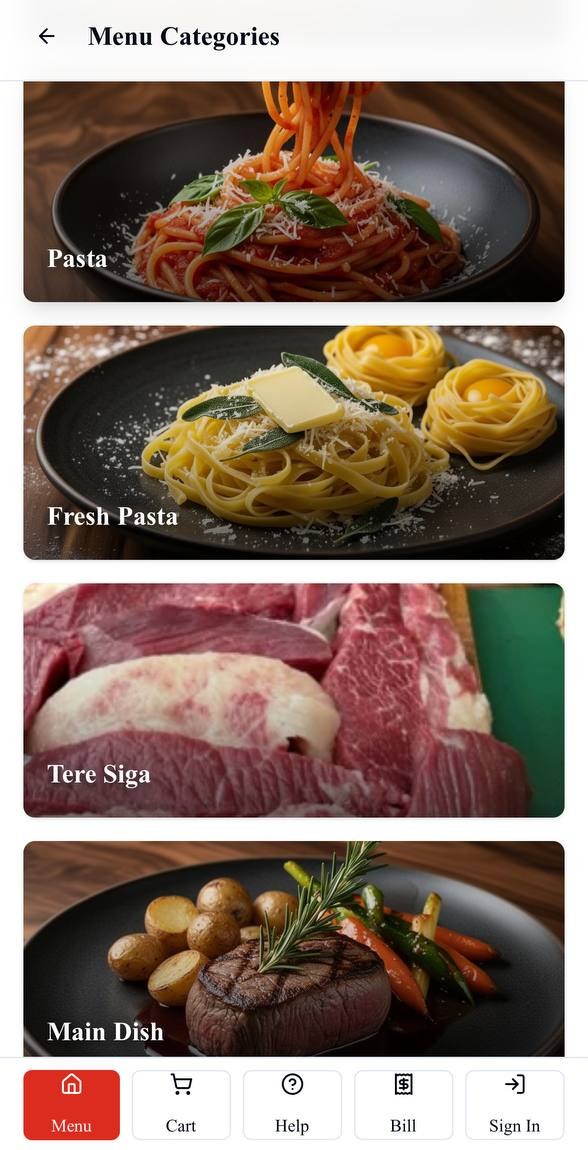
Customer QR
Waiter order
One system, two ways to order
The restaurant should not have to choose between self-ordering and waiter service.
The order entry method can change. The restaurant workflow behind it stays connected.
Customer QR ordering
The customer starts the order.
A customer scans the table QR, browses the restaurant menu and submits an order for that table.
Explore QR OrderingWaiter ordering
The waiter starts the order.
A waiter selects the table and enters its items and configured choices from a suitable phone or tablet.
Explore Waiter OrderingHow Bilu restaurant ordering works
One connected route from order entry to settlement.
Bilu carries the restaurant and table context through a grounded operational sequence. Each stage follows the restaurant's configuration and authorized staff roles.
01
Order starts
Customer or waiter begins
A customer scans the table QR, or a waiter opens the ordering interface on a phone or tablet.
02
Table
Identify the table context
The order is connected to the restaurant table selected through the QR or waiter flow.
03
Menu
Choose items and options
Available menu items, quantities and configured modifiers or options are added to the order.
04
Submit
Send one structured order
The completed order enters Bilu with its table, item and configured choice details.
05
Kitchen
Route preparation work
Kitchen work follows the restaurant's configured station assignments and default routing behavior.
06
Cashier / admin
Keep staff visibility
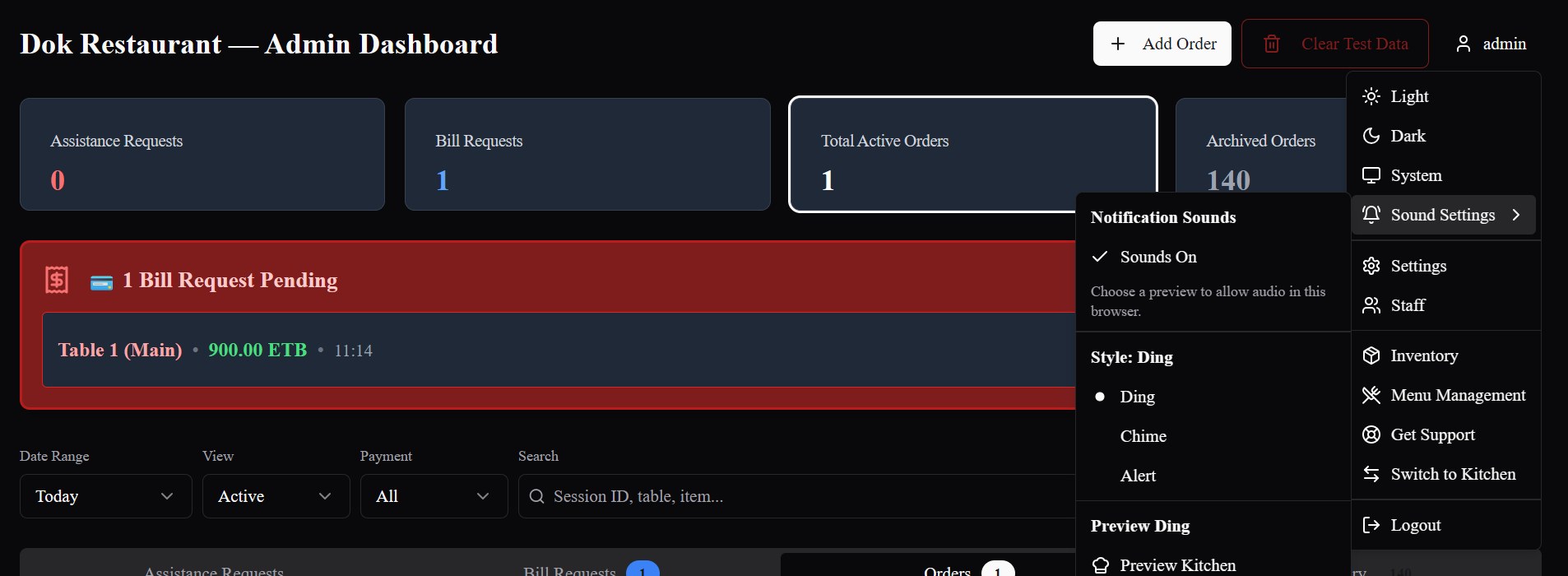
Authorized staff can follow active orders, table activity and bill requests in the operational system.
07
Bill / settlement
Complete the table flow
Authorized staff can review the bill, record payments and complete the table's settlement.
From order entry to kitchen
The order-entry screen is only the beginning.
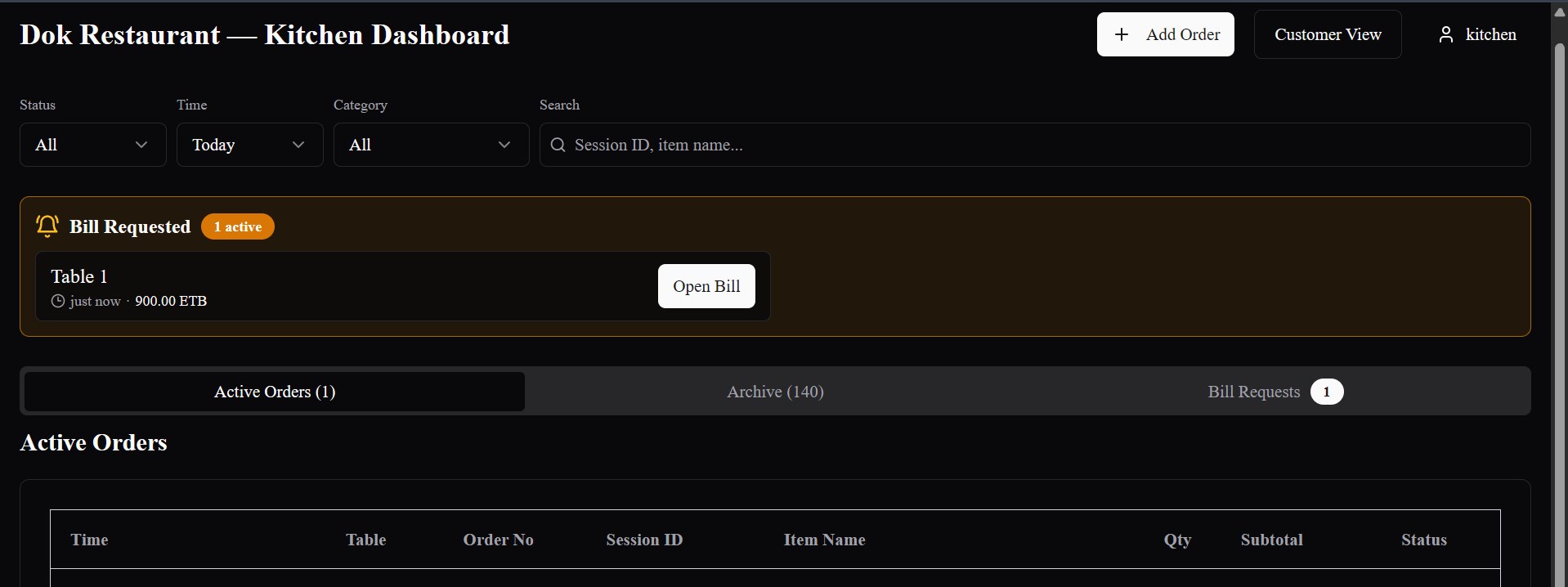
Submitted customer and waiter orders move into Bilu's kitchen workflow. Where a restaurant uses multiple preparation areas, configured item assignments can route work to the appropriate station.
- Table, item, quantity and configured option details travel with the order
- Station routing follows the restaurant's own configuration
- Unassigned items retain the configured default kitchen path
Cashier and admin stay connected
Keep active orders, bills and recorded settlement in the operational picture.
Authorized cashier and admin views can follow submitted orders and table activity, respond to bill requests, review the bill and record settlement without moving the order into a separate marketing or ordering tool.
- Active order and table visibility
- Bill-request and billing context
- Authorized payment recording and settlement completion
Choice at the table
A choice for the customer. One workflow for the restaurant.
Some customers prefer to order for themselves. Others prefer waiter service. Bilu lets a restaurant support both without creating separate kitchen and cashier systems for each order source.
Customer QR → Bilu → kitchen / cashier
Waiter device → Bilu → kitchen / cashier
Table-based ordering
Keep the order connected to its table.
Each configured restaurant table can have its own QR. The customer flow opens with that table context, while waiter ordering begins from the table the staff member selects.
Menu items and options
Send the choices needed to prepare the order.
Orders can include available menu items, quantities and the modifiers or options configured for those items. Required choices remain part of the submitted order details.
Why connected ordering matters
Keep the handoff clear from table to kitchen and cashier.
Less duplicate order entry
Customer and waiter orders enter Bilu directly instead of requiring a separate handwritten or verbal handoff to be entered again.
Clearer table-to-kitchen visibility
The table, ordered items and configured choices stay connected as the order reaches the kitchen workflow.
One system for both service styles
A restaurant can offer customer self-ordering and waiter service without splitting them into separate ordering systems.
Kitchen and cashier share the order context
Authorized operational views follow the same active order through preparation, bill requests and recorded settlement.
Built for restaurant operations in Ethiopia
Restaurant workflows are the center of the system.
Bilu is being built for restaurants in Ethiopia, with table-based ordering, staff roles, kitchen work, cashier visibility and billing treated as connected parts of the same operation.
Related ordering capabilities
Explore each way an order can begin.
Questions
What restaurants ask us.
What is a restaurant ordering system?
It is the workflow that captures an order and keeps its table, items and choices connected as restaurant staff prepare, bill and settle it. Bilu connects customer QR and waiter order entry to that wider operation.
Can Bilu support both QR ordering and waiter ordering?
Yes. A customer can order from a table QR, or a waiter can take the order on a phone or tablet. Both methods use the restaurant's configured menu and enter the same Bilu operational flow.
Do customers have to use QR codes?
No. Restaurants can continue waiter-led service, offer customer QR ordering, or use both approaches together.
Can waiters take orders on a phone or tablet?
Yes. Bilu's browser-based waiter ordering interface is responsive across suitable phone and tablet layouts.
Do orders go to the kitchen?
Yes. Submitted orders enter Bilu's kitchen workflow with their table, items, quantities and configured choices.
Can different items go to different kitchen stations?
Yes, when the restaurant has configured kitchen stations and assigned menu items to them. Items without an explicit assignment follow the configured default kitchen behavior.
Can each table have its own QR code?
Yes. A restaurant can generate a QR for each configured table so the customer ordering flow opens with the correct restaurant and table context.
Does Bilu handle billing?
Bilu keeps orders connected to the active table bill. Authorized staff can respond to bill requests, review the bill, record payments and complete settlement.
See the workflow
See one ordering system handle both service styles.
We’ll show you how customer QR orders and waiter orders enter the same Bilu kitchen, cashier, billing and settlement workflow.